
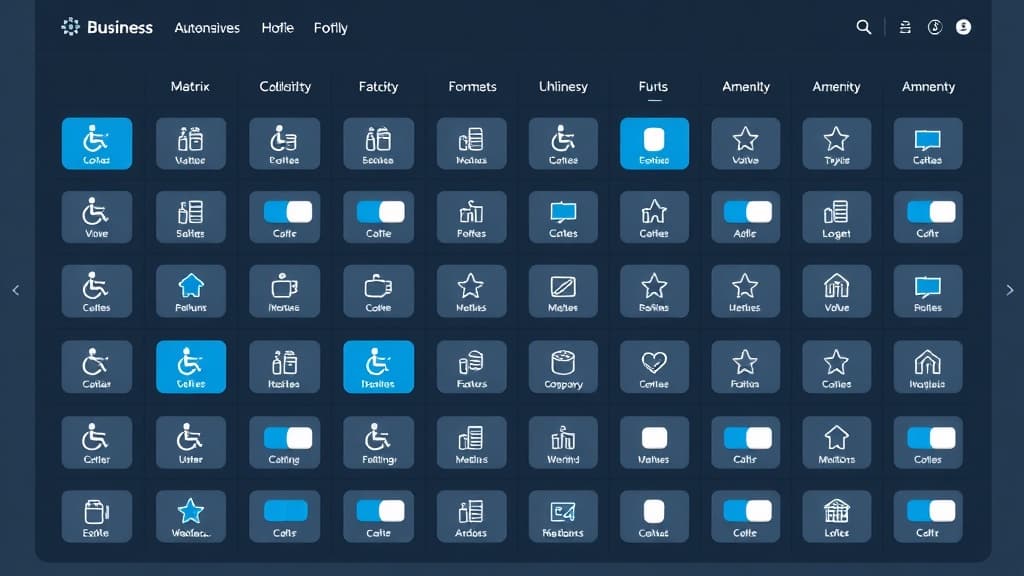
GBP Attributes are structured data points that describe specific characteristics of your business, from wheelchair accessibility and Wi-Fi availability to whether you are veteran-owned or offer curbside pickup. Attributes appear as badges on your profile and serve as filter criteria when users narrow search results. More importantly, they feed structured signals into Google's local algorithm and into AI search systems that recommend businesses based on specific criteria.
Despite their importance, attributes are one of the most overlooked elements of GBP optimization. This guide covers every attribute type available in 2026, explains how they impact rankings and conversions, and provides a step-by-step process for auditing and completing your attribute set.
Types of GBP Attributes
Available attributes depend on your primary category. A restaurant sees different attributes than a law firm. Google organizes attributes into several groups. Here are the major categories:
| Attribute Group | Examples | Who Sees Them |
|---|---|---|
| Accessibility | Wheelchair-accessible entrance, parking, restroom, seating | All business types with physical locations |
| Amenities | Free Wi-Fi, restrooms, outdoor seating, parking | Restaurants, retail, hospitality, service businesses |
| Highlights | Women-owned, veteran-owned, Black-owned, LGBTQ+ friendly | All business types |
| Service Options | Online appointments, curbside pickup, delivery, dine-in, takeout | Restaurants, retail, medical, professional services |
| Payments | Accepts credit cards, NFC mobile payments, checks, cash only | All business types |
| Crowd | LGBTQ+ friendly, family-friendly, casual, trendy | Restaurants, bars, entertainment venues |
How Attributes Impact Rankings
Attributes contribute to relevance matching. When a user searches "wheelchair accessible restaurants near me," Google filters results to profiles with that attribute enabled. If you qualify but haven't set the attribute, you are invisible to that query. This filtering behavior extends to AI Overviews and conversational search, where specificity determines which businesses get recommended.
Complete every truthful attribute available for your business. Even attributes that seem minor, like "has restroom" or "accepts credit cards", add structured signals that help Google match your profile to specific queries. No attribute is too small to set.
How to Set Attributes
- Log in to your Google Business Profile dashboard or use the Google Business Profile Manager app
- Navigate to Edit Profile > More > and scroll to the attribute sections
- Toggle each relevant attribute to "Yes" or "No", do not leave them unset, as an explicit "No" is more useful than blank for both local rankings and AI search
- For category-specific attributes (like restaurant menu items or hotel amenities), expand each section and complete every applicable field
- Save changes and verify they appear on your live profile within 24-48 hours
Subjective vs. Factual Attributes
Google distinguishes between factual attributes (which you control) and subjective attributes (which are crowd-sourced from customer feedback). Factual attributes include things like "wheelchair accessible entrance" and "free Wi-Fi." Subjective attributes include things like "popular for lunch" or "cozy atmosphere." You cannot directly set subjective attributes, they emerge from review content and user behavior data. However, you can influence them by encouraging customers to mention specific experiences in their reviews.
Identity Attributes and Inclusivity
Google offers identity attributes including women-owned, veteran-owned, Black-owned, Latino-owned, and LGBTQ+ friendly. These attributes appear as badges on your profile and can drive significant traffic from customers who prioritize supporting specific business types. If any identity attribute applies to your business, enable it, these attributes carry zero risk and create an additional discovery path for your profile.
Attributes and AI Search Signals
Attributes are structured data in the purest sense. When AI systems evaluate your business, they parse attributes to answer specific user questions. "Does this restaurant have outdoor seating?" is answered directly from your attribute data. Incomplete attributes mean incomplete answers, and AI systems default to recommending businesses with more complete data profiles. This is a core principle of AEO strategy: completeness wins.
After completing your attributes, move on to services and products to continue building out your profile's structured data. Or use the GBP optimization checklist to ensure you have not missed any other critical signals.
Frequently Asked Questions
Why don't I see certain attributes on my profile?
Available attributes depend on your primary category. A restaurant sees food-related attributes that a law firm does not. If you recently changed your category, it may take 24-48 hours for new attributes to appear.
Can customers override my attribute settings?
Customers can suggest edits to your profile, including attributes. Google may apply these suggestions if enough users agree. Monitor your profile regularly through your GBP Insights dashboard and correct any inaccurate user-suggested changes.
Do attributes affect my ranking directly?
Attributes affect relevance matching, which is a core component of rankings. They may not carry the same weight as category selection or reviews, but they determine whether your profile is eligible for filtered and niche searches.

Written by
Jason JacksonChief Operating Officer, Locafy Limited
COO at Locafy (Nasdaq: LCFY). Builds and operates AEO systems for local businesses. Founded Growth Pro Agency before joining Locafy via acquisition.