
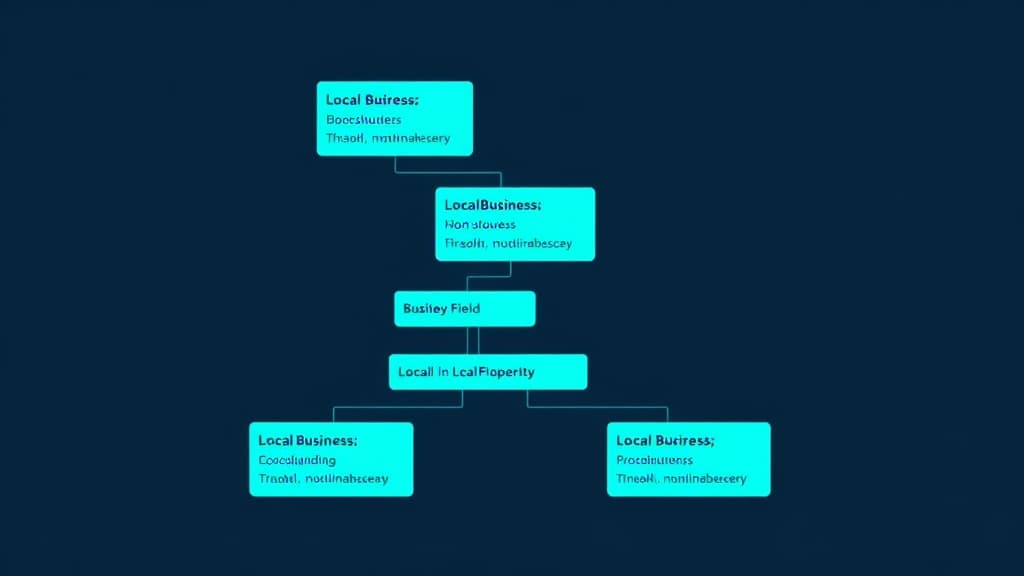
LocalBusiness schema markup is the most important type of structured data for any business serving a local market. It provides search engines with a machine-readable description of your business -- who you are, where you're located, when you're open, and what services you provide. This guide walks through the complete implementation process, from choosing the right schema type to deploying JSON-LD code across your website.
Choosing the Right Schema Type
Schema.org offers dozens of specific subtypes under LocalBusiness. Using a specific subtype (like Dentist, LegalService, or Restaurant) is always better than the generic LocalBusiness type because it provides more precise information about your business category. This helps Google match your business to relevant queries and can unlock industry-specific rich result features.
Common LocalBusiness Subtypes
- Professional services: LegalService, AccountingService, FinancialService, InsuranceAgency
- Medical: Dentist, Physician, MedicalClinic, Optician, Pharmacy
- Home services: Plumber, Electrician, HVACBusiness, Locksmith, RoofingContractor
- Automotive: AutoRepair, AutoDealer, GasStation, AutoBodyShop
- Food: Restaurant, BarOrPub, CafeOrCoffeeShop, Bakery, FastFoodRestaurant
- Fitness/beauty: HealthClub, BeautySalon, HairSalon, DaySpa, TattooParlor
- Real estate: RealEstateAgent, MovingCompany, SelfStorage
- Retail: Store (with sub-subtypes), ShoppingCenter, HardwareStore
Essential Properties to Include
A comprehensive LocalBusiness schema block should include every property that applies to your business. The more data you provide, the stronger the signal. At minimum, include these core properties to establish your identity and location with the same precision as your GBP and citations.
| Property | Required | Description |
|---|---|---|
| @type | Yes | Your specific LocalBusiness subtype |
| name | Yes | Exact business name matching GBP |
| address | Yes | PostalAddress with street, city, state, zip, country |
| telephone | Yes | Primary phone number matching GBP |
| url | Yes | Your website URL |
| geo | Recommended | GeoCoordinates with latitude and longitude |
| openingHoursSpecification | Recommended | Hours for each day of the week |
| image | Recommended | URL to your primary business photo |
| priceRange | Recommended | Dollar signs ($ to $$$$) or text range |
| areaServed | For SABs | Cities, states, or GeoCircle for service area |
| sameAs | Recommended | URLs to your social profiles and directory listings |
| aggregateRating | If applicable | Average rating and review count |
| hasMap | Recommended | URL to your Google Maps listing |
The sameAs Property: Connecting Your Digital Presence
The sameAs property is an underused but powerful feature. It tells Google that your website entity is the same entity as your profiles on Facebook, LinkedIn, Yelp, BBB, and other platforms. Include URLs to every official profile across business directories and social platforms. This creates explicit entity connections that reinforce the trust signals from your citation network.
Where to Place Schema on Your Website
- Homepage: Full LocalBusiness schema with all properties
- Contact page: LocalBusiness schema emphasizing address, phone, hours, and map
- About page: Organization schema with founding date, team, and credentials
- Individual service pages: Service schema linked to the parent LocalBusiness entity
- Location pages (multi-location): Separate LocalBusiness schema for each location
- Blog posts: Article schema with author and publisher linked to your Organization
- FAQ sections: FAQPage schema for rich snippet eligibility
Multi-Location Schema Strategy
Multi-location businesses need a structured hierarchy: an Organization entity for the parent company, with individual LocalBusiness entities for each location. Each location page should contain its own complete LocalBusiness schema block with location-specific NAP, hours, and services. Use the parentOrganization property to link each location back to the parent entity. This tells Google that "Joe's Pizza - Downtown" and "Joe's Pizza - Uptown" are related but distinct locations of the same business.
Service-Area Business Schema
Service-area businesses (SABs) that don't serve customers at their physical location need a slightly different schema approach. Set the areaServed property to define your coverage using City or State types, and don't include a public-facing address. Use the geo coordinates property for your verified address (Google uses this internally even if the address isn't displayed on your Map Pack listing). This approach aligns with how your GBP is configured for SABs and helps Google connect the entities correctly.
Never include fake or misleading information in your schema markup. Google's quality reviewers check schema data against GBP and website content. Discrepancies between your schema, your GBP, and your citations can trigger manual actions or algorithmic filtering.
Validation and Monitoring
After deployment, validate your schema using Google's Rich Results Test and the Schema Markup Validator. Check Google Search Console's Enhancement reports weekly for any structured data errors. Monitor for errors especially after website updates or CMS changes that might alter your schema code. Set up alerts for trust signal changes that might require schema updates -- new business hours, a phone number change, or an address update all need to be reflected in your schema immediately.
Schema Implementation FAQ
Do I need a developer to implement LocalBusiness schema?
Not necessarily. WordPress plugins like Yoast SEO, Rank Math, and Schema Pro can generate LocalBusiness schema without coding. For other platforms, you can create JSON-LD manually using our templates and paste it into your site's HTML head section. However, for multi-location businesses or complex implementations, a developer ensures accuracy and maintainability.
Can incorrect schema hurt my rankings?
Yes. Schema that contradicts your GBP information or website content can confuse Google's understanding of your business. Fake review markup, incorrect business types, or misleading properties can trigger manual actions. Always ensure your schema is accurate, up-to-date, and consistent with your NAP data everywhere else on the web.
How is LocalBusiness schema different from Organization schema?
LocalBusiness is a subtype of Organization specifically designed for businesses serving customers in a geographic area. It includes location-specific properties like geo-coordinates, opening hours, and service areas that Organization does not. Use LocalBusiness (or a specific subtype) for individual business locations and Organization only for the parent company entity in multi-location setups.
Should I include my reviews in schema markup?
You can include an aggregateRating property showing your average rating and total review count. However, do not mark up individual testimonials on your own website as Review schema -- Google considers self-serving review markup a violation of its guidelines. Only third-party review platforms should generate Review schema.

Written by
Jason JacksonChief Operating Officer, Locafy Limited
COO at Locafy (Nasdaq: LCFY). Builds and operates AEO systems for local businesses. Founded Growth Pro Agency before joining Locafy via acquisition.